Ambience/Repertoire 2024.0.14 and later versions support dynamic pool substitution in datasource definitions. To use this feature, you must first configure your connection pools and then reference them dynamically in your datasource.
1. Configure Connection Pools
Begin by defining your connection pools. You can follow these guides for specific database types:
- Creating a Postgresql JDBC connection pool
- Creating a MSSQL JDBC connection pool
- Creating a MSSQL JDBC connection pool
- Establishing Oracle Connection Pool on Repertoire 202x Designer
2. Parameterize the Pool in the DS File
Once your pools are configured, you can parameterize the datasource to select them dynamically by opening Repertoire Designer and entering ${pool} directly into the Connection Pool field in the Datasource Wizard:
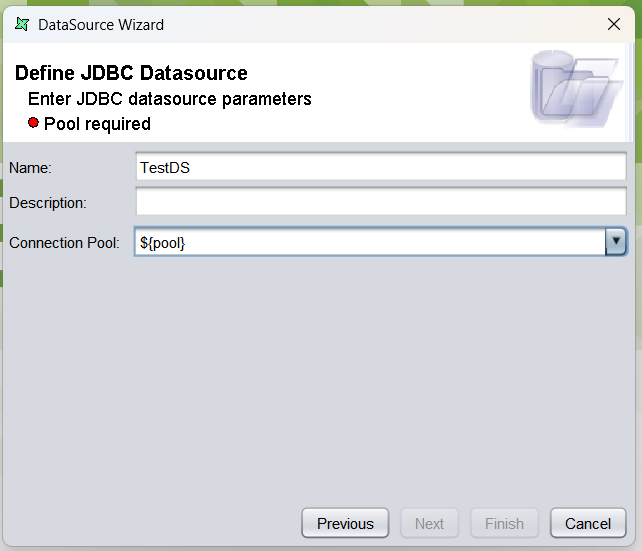
Alternatively, you can open up your datasource in a text editor and edit the following connection-pool parameter to;
<ds:jdbc connection-type="POOL" connection-pool="${pool}">
Doing this prompts the pool name to be entered at runtime. Note that you can change "pool" to any other parameter name if needed.
Practical Guidance
- If you only have one or two pools, fixed DS files may be simpler.
- For larger numbers, configure pools with wildcards, then use
${pool}to parameterize selection dynamically.