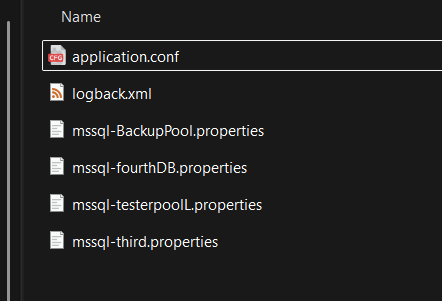
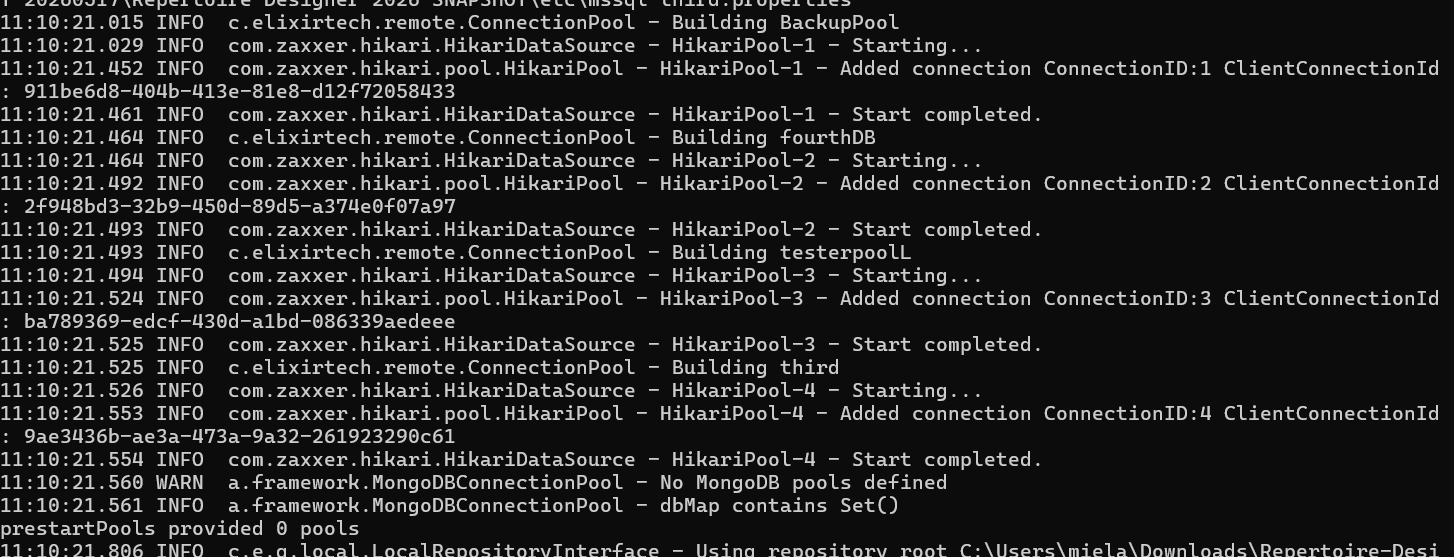
Below are the steps to configure your JDBC properties file to use wildcards:
Open up your /etc/application.conf and add the following line:
elixir.data.jdbc.connection-pool {
  definition {
    "*" = "/path/to/your/build/hikari-*.properties"
  }
}
For example:
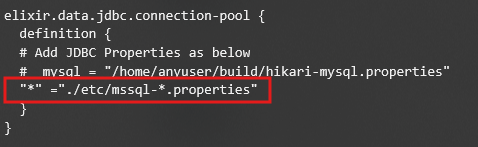
This automatically loads all matching property files (e.g., hikari-postgres.properties, hikari-mysql.properties, hikari-oracle.properties) and creates unique pools for each.
Wildcard rules:
- Wildcards only apply at the file level, not in the path.
- Multiple wildcards are allowed (e.g.,
hik??i-*.properties). - You can mix wildcard keys with explicit pairs; if duplicates occur, the last processed wins.
- Only one wildcard key is allowed per config file.
This configuration ensures all pools are loaded automatically at server startup.