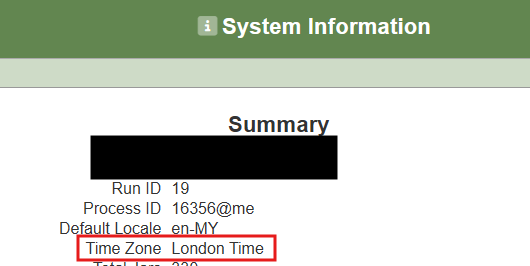
Ambience/Repertoire uses the JVM’s timezone setting to determine how dates and times are handled. If left as default, it will follow the operating system’s timezone, which may cause discrepancies in reports if the server timezone differs from your business timezone.
Steps to Configure:
- Specify the timezone when starting Java Use the
-Duser.timezoneparameter to set the desired timezone explicitly:
java -Duser.timezone=Asia/Kuala_Lumpur
- Replace with your timezone ID
- Example:
Asia/Singapore,Europe/London,America/New_York. - Choose the timezone that matches your organization’s local/business timezone.
- Verify the configuration
- After restarting Ambience/Repertoire with the new parameter, run a report with date criteria, or you can open the System Information module in the Service Chooser page.
- Confirm that the dates now align correctly with your expected local time.